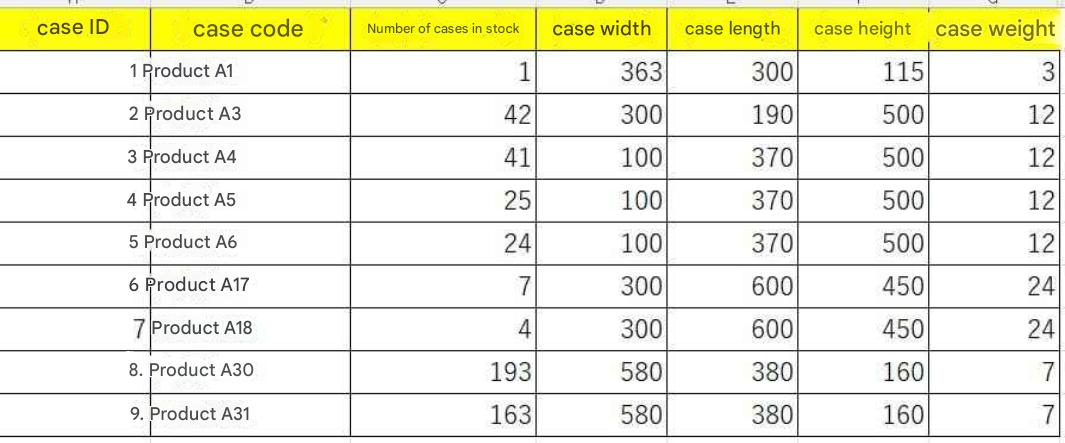
Case Quantities and Dimensions
Planar layer quantities are calculated from surface dimensions,
and tier counts are calculated from height, determining the stacking module.
Cases that cannot be stacked on pallets due to dimensions or weight limits are automatically flagged and displayed as "Unstackable".
Section 4 Pallet Stacking (PL Stacking) & Storage Scale Simulation - Supporting Modules, Single & Mixed Loading
Overview of Pallet Stacking (PL Stacking) and Storage Capacity Calculation
This utility calculates the optimal stacking module for pallets (PL) based on case dimensions and weights per SKU, deriving total required pallet counts directly from inventory numbers.
Primary Calculation & Evaluation Features
- Automated Calculation of Stacking Modules: Automatically calculates "Planar Layer Quantity" from case width/depth dimensions and "Stacking Tiers" from case height.
- Automated Non-Stackable Detection: Automatically identifies cases exceeding pallet weight/dimension thresholds and flags them as "Unstackable".
- Real-Time Visual Display: Clicking record rows in the data view updates and displays matching 2D planar stacking pattern layouts instantly.
- Customizable Pallet Specifications: Supports calculations using arbitrary pallet dimensions and cargo profiles.
Storage Efficiency Optimization & Aggregation via Single & Mixed Loading
Simulation results can be exported to Excel, enabling advanced storage capacity estimation considering real-world single-item loading (1 SKU occupying 1 pallet) and mixed-item loading (multiple SKUs sharing 1 pallet).
Single-Item and Mixed-Item Pallet Aggregation Logic
Based on inventory volume thresholds, pallet counts are aggregated using the following logic to derive realistic warehouse storage scale:
| Inventory Volume (PL Conversion) | Calculation Treatment |
|---|---|
| 0.5 PL or More | Calculated as rounded-up Single-Item Loading (occupying 1 full pallet). |
| 0.33 PL to under 0.5 PL | Calculated as 2-Item Mixed Loading (2 SKUs sharing 1 pallet). |
| 0.25 PL to under 0.33 PL | Calculated as 3-Item Mixed Loading (3 SKUs sharing 1 pallet). |
| Under 0.25 PL | Calculated as 4-Item Mixed Loading (4 SKUs sharing 1 pallet). |
Key Benefits of Implementation
- Estimating Optimal Pallet Load Formats: Compares different pallet dimensions to estimate how storage efficiency and required floor footprint vary.
- Enhancing Storage Planning Precision: Derives logical required PL counts from inventory numbers and stacking module capacities, providing clear justification for warehouse capacity planning.
* Important Note
This program is a standalone utility software and does not link directly with shipping dataset records or the main "Tera Calculation" system.
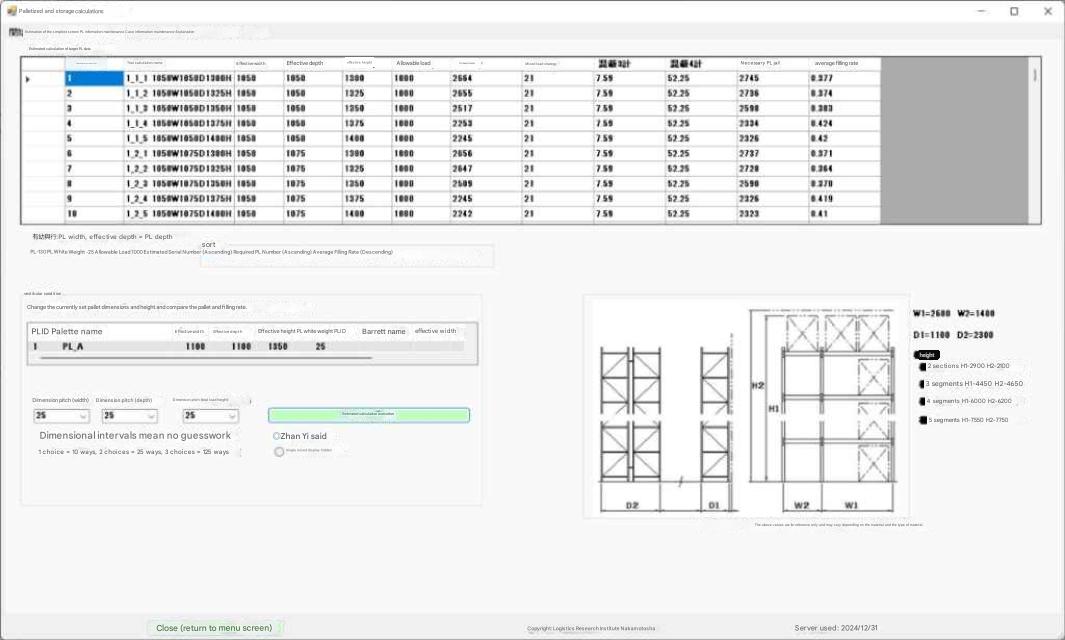
Pallet Stacking Calculation Screen
Calculates PL stacking modules from case dimensions per SKU, computing required PL counts from inventory and stacking module capacities.
Note: This software does not link dynamically with shipping datasets or Tera Calculation core modules.
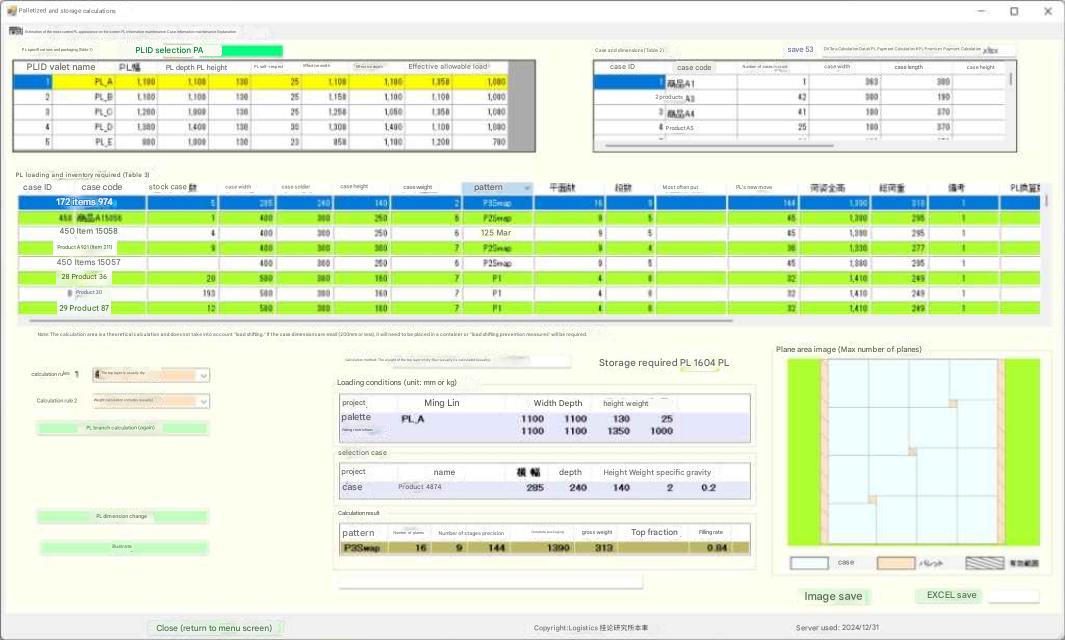
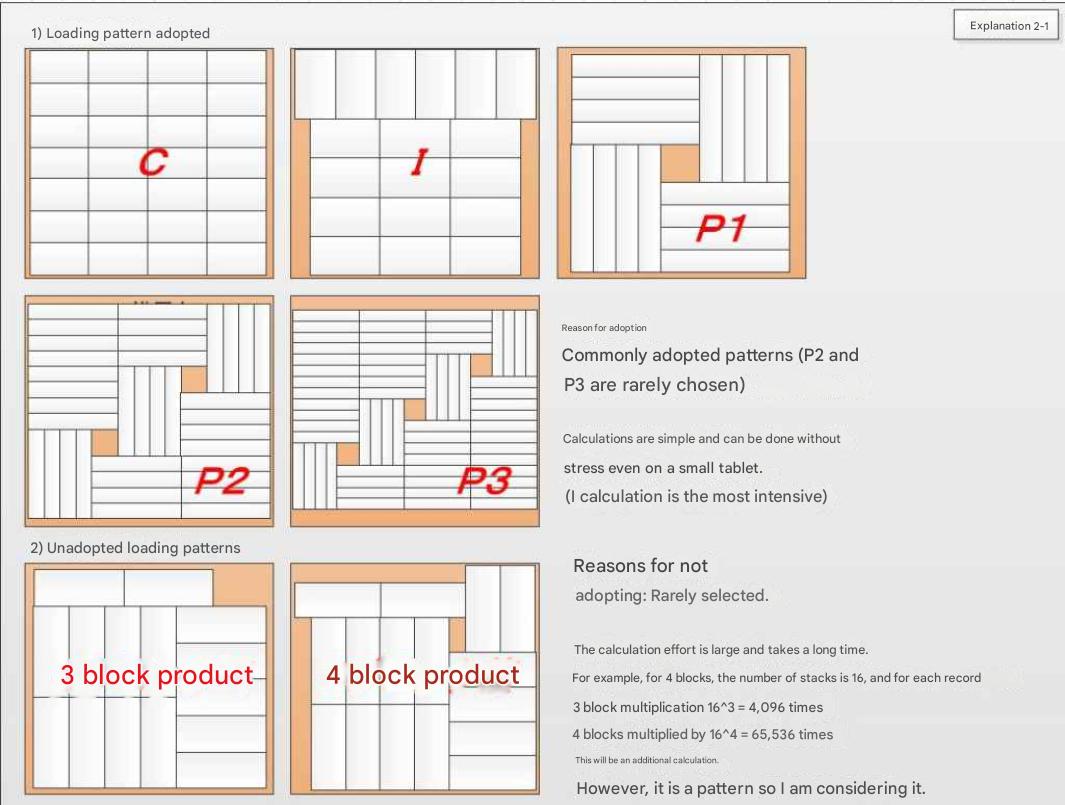
Clicking data rows in the table displays matching 2D stacking pattern plan views in real time.
Specifying Pallet Specs and Cargo Profiles
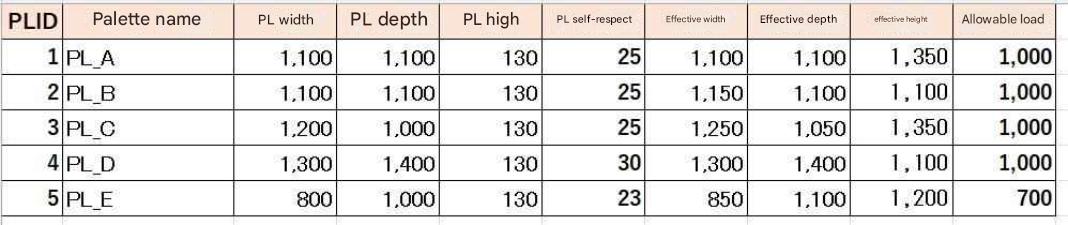
Select the pallet dimensions to be used from the setup screen above.
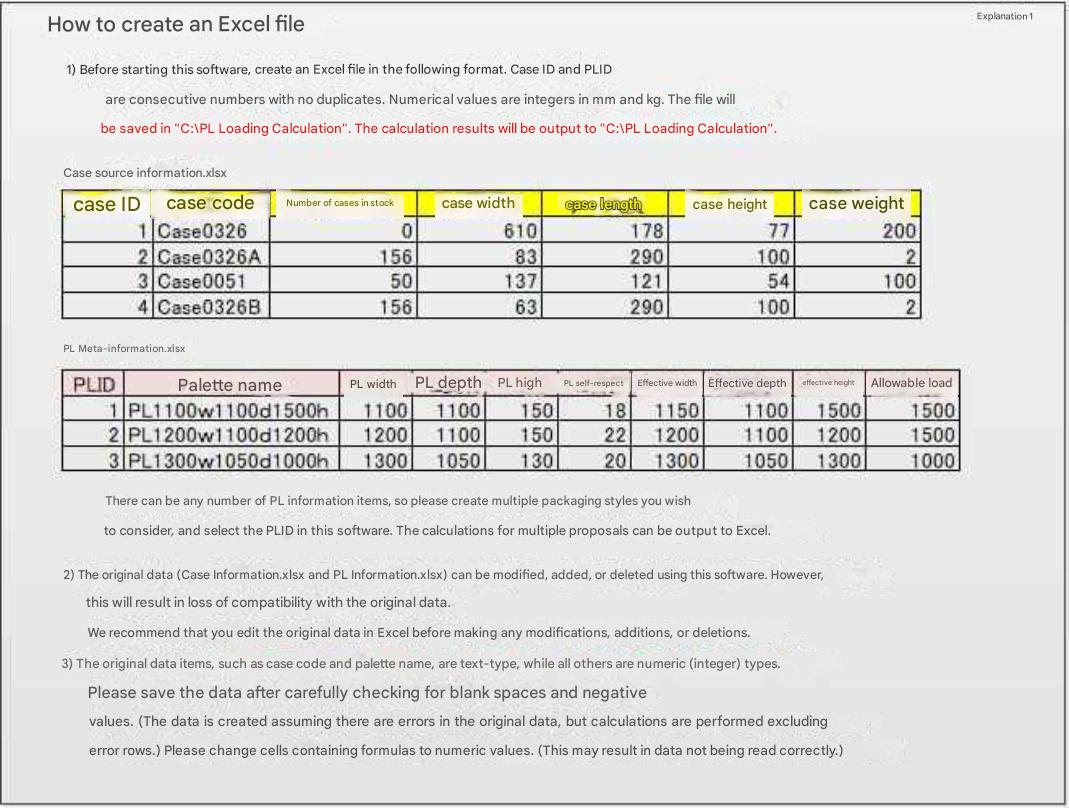
Stacking Patterns (Stacking Modules)
Exporting Calculation Results to Excel
After completing calculations, export results to Excel.
(Example: Tera計算Data\PL積付計算\PL積付計算結果4混載20250109-152656 最上面平面(通常) 重量計算有(通常))
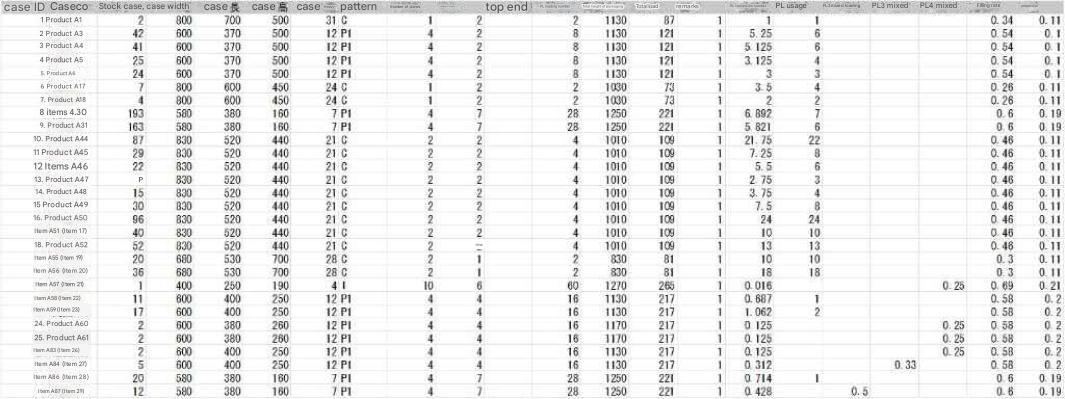
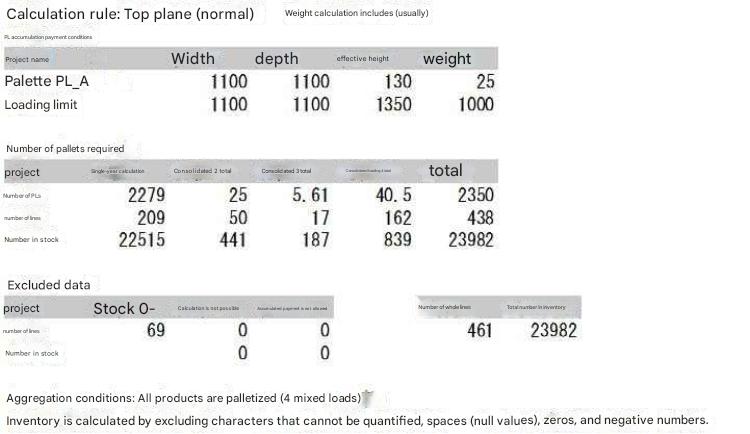
Aggregation Logic:
0.5 PL or more = Rounded-up Single-Item Loading
0.33 PL to 0.5 PL = 2-Item Mixed Loading
0.25 PL to 0.33 PL = 3-Item Mixed Loading
Under 0.25 PL = 4-Item Mixed Loading
Outputs pallet counts aligned with real-world operations.
Estimating Optimal Pallet Cargo Profiles
This software compares diverse pallet (PL) dimensions to estimate how storage efficiency and floor space vary depending on pallet stacking (PL stacking) configurations.