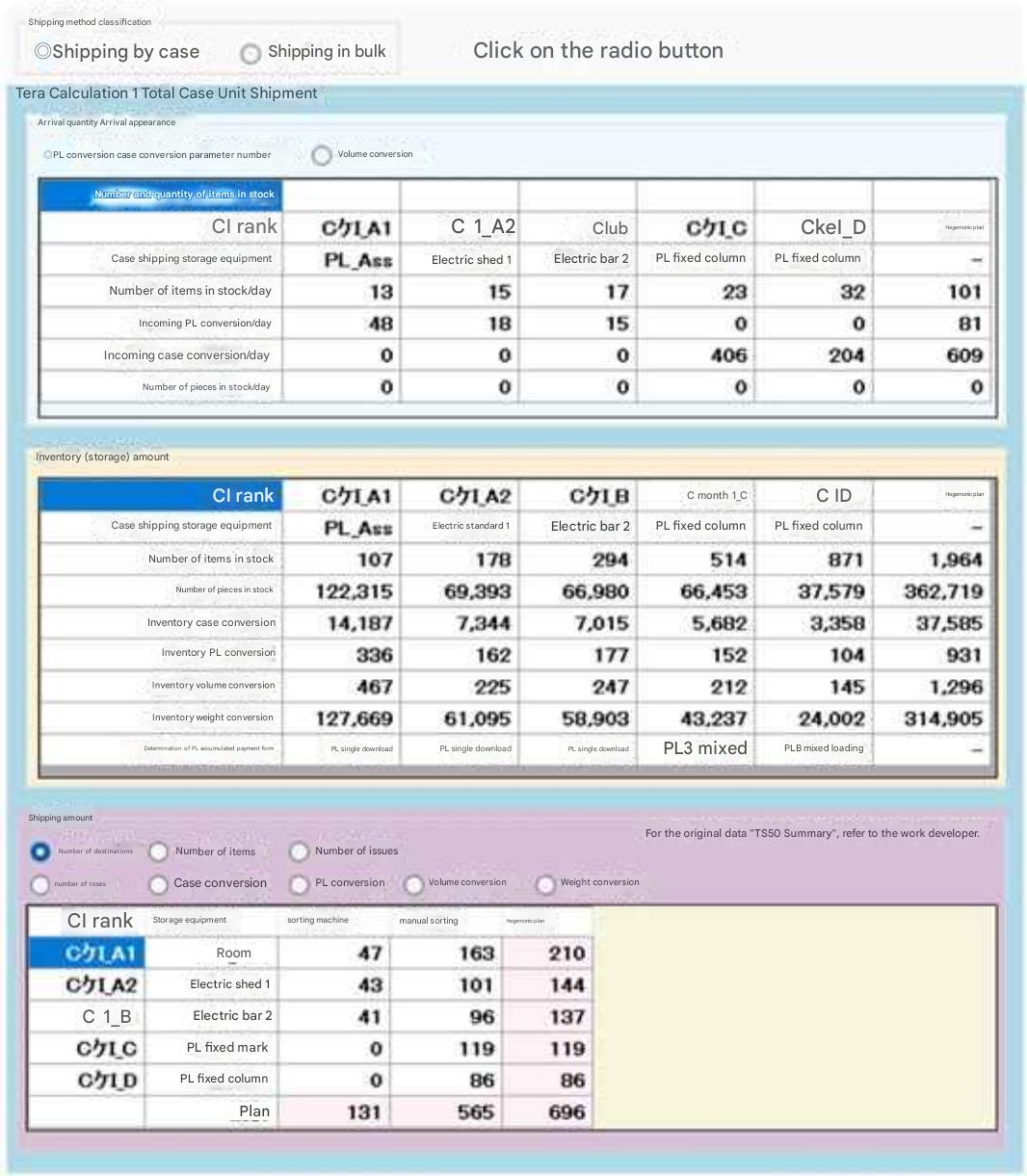
Select Case-unit shipping vs. Piece-unit shipping.
Displays which logistics equipment receives and stores inbound goods.
Displays item count and storage unit profiles (Pallet unit / Case unit).
Volume conversion display mode is also supported.
Displays stored item count, piece quantity, and converted metrics (Case conversion, PL conversion) stored in inventory equipment. Displays pallet load conditions from single-item loading up to 8-item mixed loading.
Indicates whether stored products pass through shipping work area equipment during outbound fulfillment.
Displays destination count, item count, retrieval frequency, piece quantity, and converted metrics.
Section 2 Allocation of Logistics Equipment
This section explains "Allocation of Logistics Equipment and Verification of Material Throughput Flows", the subsequent step after shipping data analysis.
This process assigns specific logistics equipment to block-by-block material volumes derived from EIQ matrix calculations, thereby calculating required facility area footprints and operational processing capacities.
1. Procedures for Allocating Logistics Equipment
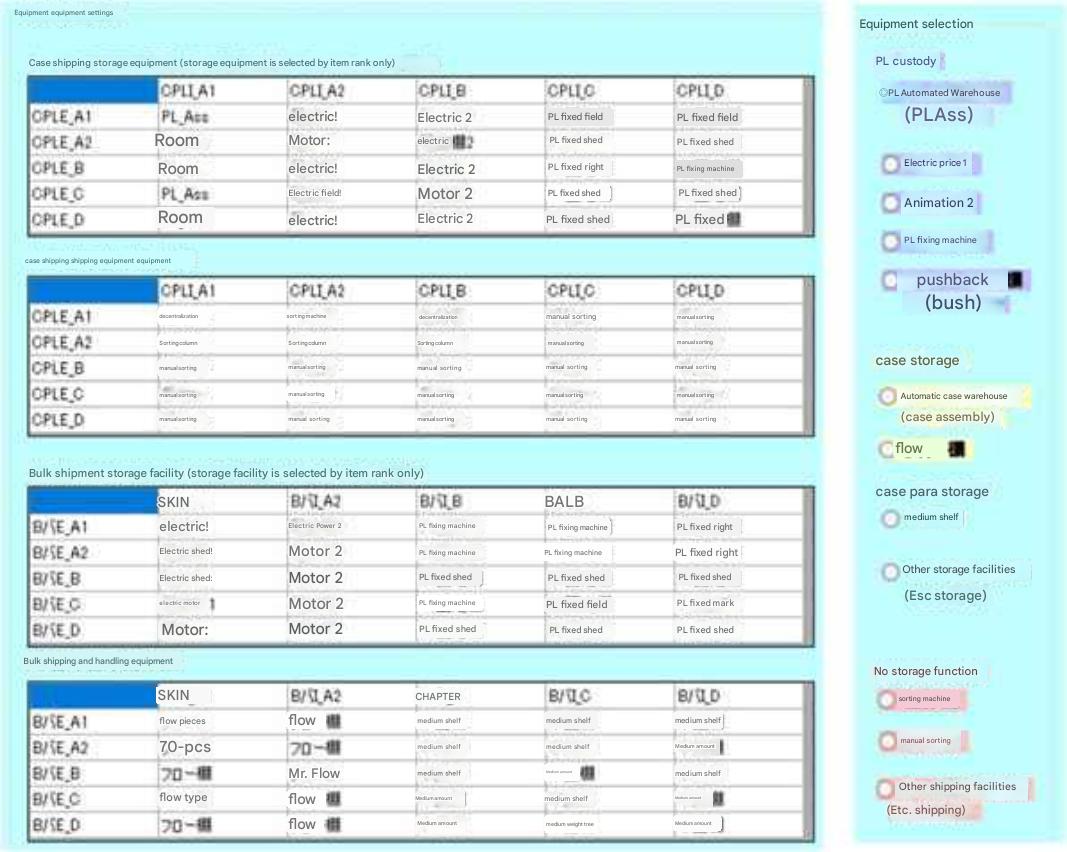
On the Tera Calculation 1 user interface screen, optimal equipment is configured according to item ranks (throughput velocity).
- Specifying Equipment: Select equipment types such as Automated Storage and Retrieval Systems (PL_AS/RS), Mobile Racks, Fixed Racks, or Sorters from the selection panel.
- Cell Allocation: Clicking matrix cells corresponding to each item rank in the EIQ Matrix Table links specified equipment to that rank block.
- Initial Configuration: Standard default equipment is pre-allocated upon startup via "Tera Settings", allowing users to modify selections as needed.
2. Visual Verification via Material Flow Diagrams
Throughput volumes passing through specific equipment from receiving, through inventory, to outbound shipping can be verified in a unified flow view.
- Receiving & Storage:
- Single-Item Pallet Receiving: Goods received in full pallet units of a single item are stored directly into available rack locations.
- Case Receiving: Goods received in case units are presumed to undergo "Mixed-Item Pallet Storage" (stacking multiple items onto a shared pallet).
- Displaying Inventory Data:
- Displays metrics including item count, piece quantity, case conversion, and pallet (PL) conversion.
- Pallet load profiles can be categorized and displayed from single-item loading up to 8-item mixed loading.
- Transfer to Shipping Work Areas:
- Indicates which operational work facilities (flow racks, medium-duty shelving, sorters, etc.) items pass through after retrieval from bulk storage.
- Display units update dynamically in real time synchronized with selections in the "Shipping Volume" parameter field (PL, Cases, etc.).
3. Reading Table Results (Example)
Specific aggregated results are interpreted as follows:
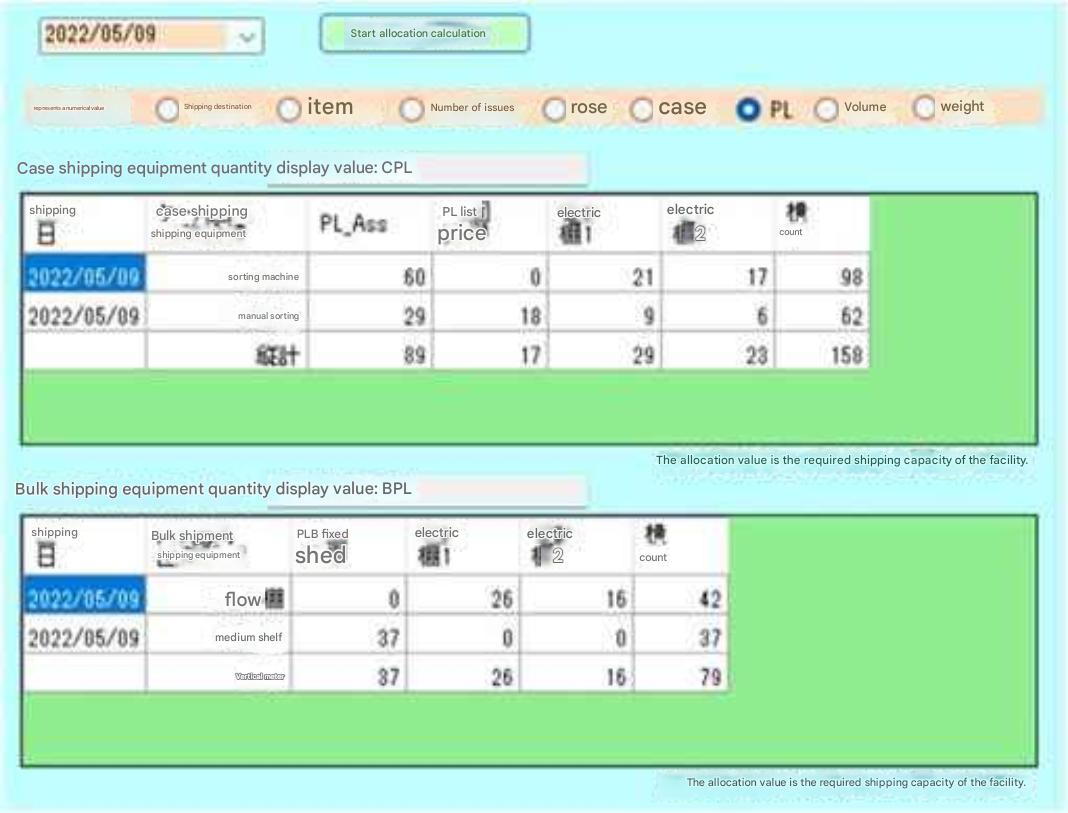
Example: "A total of 89 PLs were retrieved from PL_AS/RS, with 60 PLs transferred to the Sorter and 29 PLs transferred to the Manual Sorting Area."
In this manner, throughput balance between upstream storage systems and downstream work processes can be clearly comprehended.
Subsection 1 Allocation of Logistics Equipment
By allocating logistics equipment to the EIQ Matrix Table, required area footprints and processing capacities of equipment can be calculated.
1. Specify equipment in the Logistics Equipment Selection Panel.
2. Clicking table cells allocates equipment to respective item ranks.
(Because standard equipment is pre-allocated via initial Tera Settings, this step involves modifying equipment assignments).
Reading the table: A total of 89 PLs were retrieved from PL_AS/RS, with 60 PLs transferred to the Sorter and 29 PLs transferred to Manual Sorting.
Subsection 2 Verification via Flowchart Diagram
Displays material volumes in a comprehensive flow from receiving to inventory and outbound shipping.
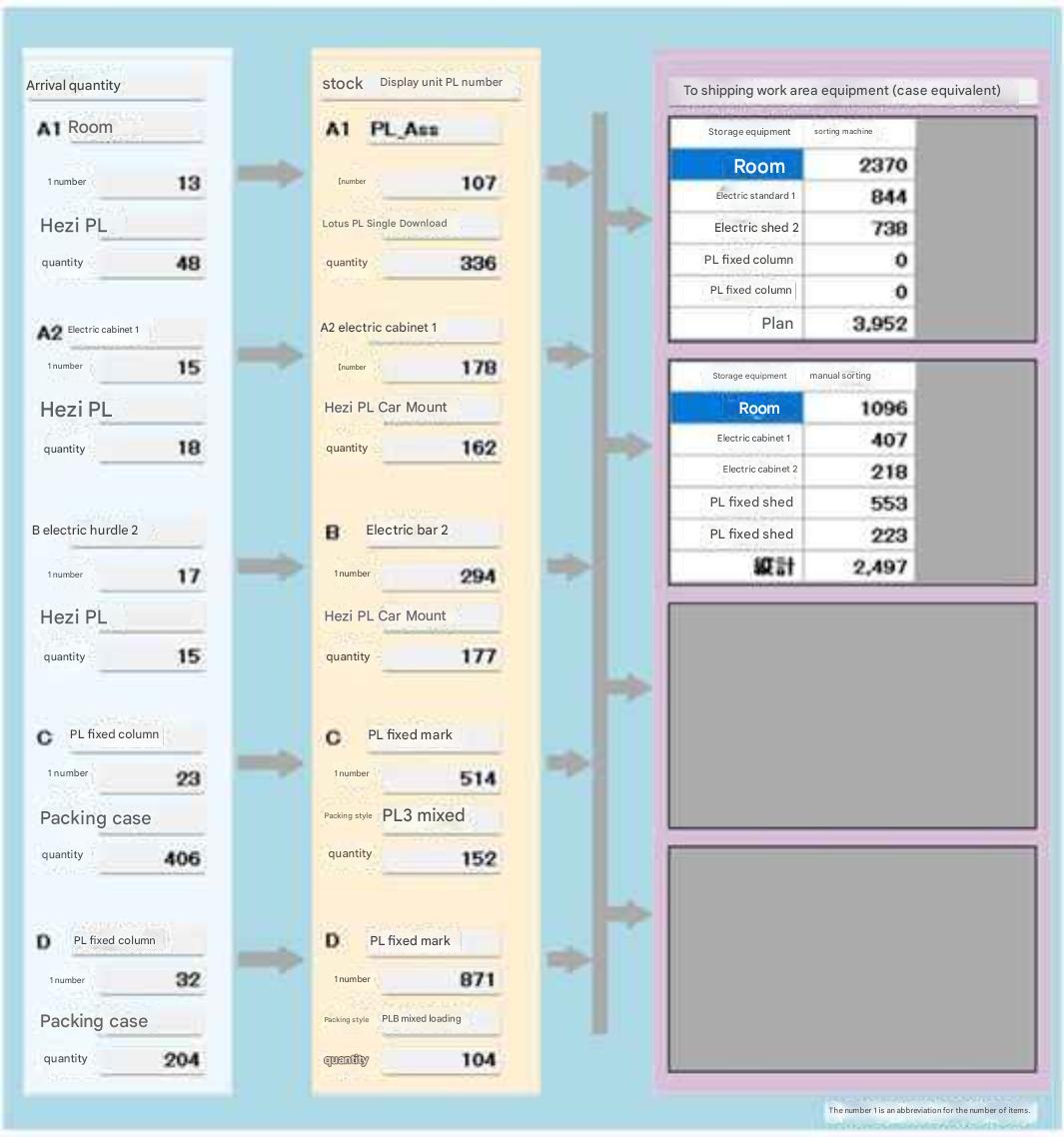
When inbound goods arrive as single-item pallets (1 item loaded per pallet), they are stored in pallet units in empty rack locations. When inbound goods arrive as cases, it is envisioned they undergo mixed-item storage (multiple items loaded per pallet).
Material throughput to shipping work area equipment dynamically updates its display unit labels in synchronization with parameter selections in the "Shipping Volume" field.