How to operate |
|
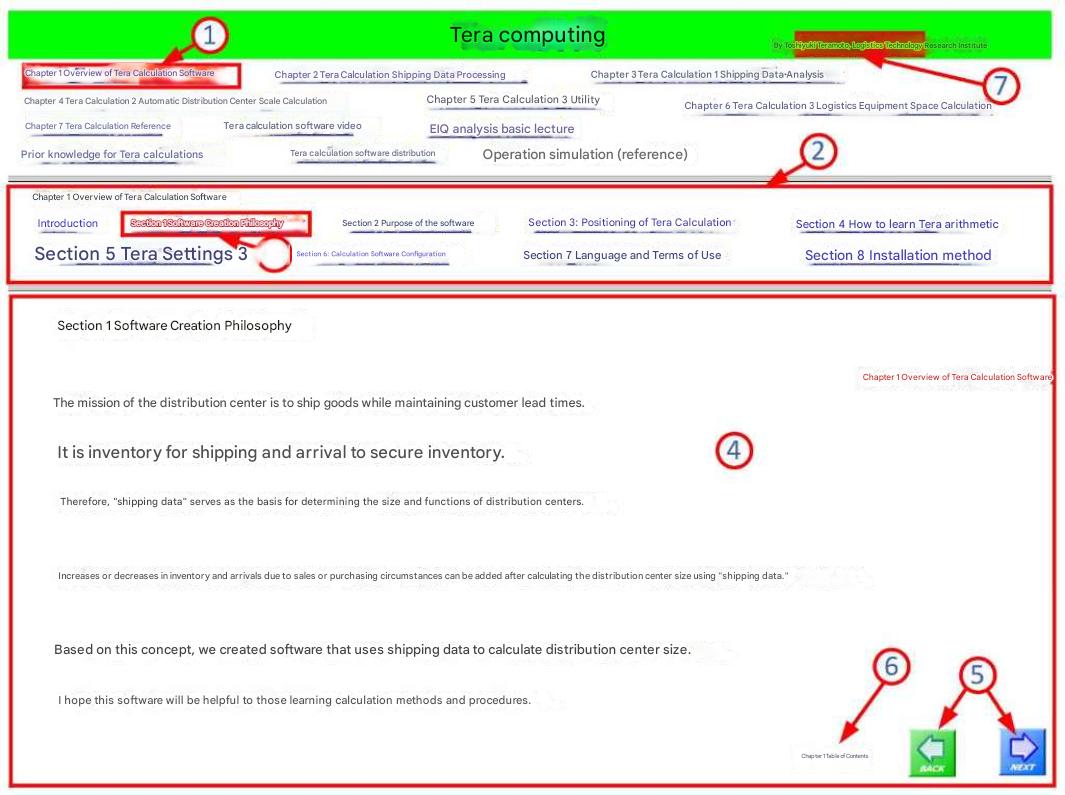 |
1. Click on "Chapter 1: Overview of TCalc Software" ① in the top column , 2. Sub-table of contents ② will be displayed in the middle column. 3. Click on "Section 1: Software Development Philosophy" ③ in the middle column ②, 4. The text corresponding to "Section 1: Software Development Philosophy" will be displayed in the bottom column ④. 5. Button ⑤ is a link button to move to the previous and next pages. |
 clicking the button will return you to the TCalc homepage.Tera clicking the button will return you to the TCalc homepage.TeraCalculation is currently under development, so we are not responding to questions or inquiries. |